The Proxmox vs. VMware debate has shifted from technical to financial. Broadcom acquired VMware in November 2023, eliminated perpetual licenses, mandated a subscription model, and raised prices between 150% and over 1.000%, depending on the product. Now, a Proxmox vs. VMware comparison is the first thing any IT manager in Latin America searches for when they receive their new renewal bill.
If you're reading this, you probably already know something has changed. Your renewal bill came with an unexpected price tag, or your tech team told you that alternatives need to be explored. This article explains what happened with VMware, why Proxmox is the most viable replacement, and how to migrate without disrupting your operations.
Proxmox vs VMware – What Broadcom Did and Why It Matters
Broadcom didn't buy VMware to maintain the status quo. In just a few months, it implemented three changes that shook up its entire customer base.
First, they eliminated perpetual licenses. You can no longer buy VMware once and use it indefinitely. Now the only model is an annual, triennial, or five-year subscription. If you don't renew, you lose access.
Second, it reduced the catalog of thousands of products to five main editions. Many tools that companies used separately now come in mandatory packages. If you only needed vSphere, you might now be paying for components you don't use.
Third, it changed its pricing model to charge per CPU core with a minimum of 16 cores per processor. For small and medium-sized businesses with servers that had few cores, this meant paying for capacity they weren't using.
According to a CloudBolt survey published in 2026, 59% of companies saw their VMware prices increase by more than 25%, and 89% stated that their primary concern was the future increase in licensing costs. CloudBolt's conclusion was straightforward: IT leaders stopped wondering if this would be detrimental and started wondering what it would take to get out.
Proxmox vs VMware technical comparison in 2026
Proxmox VE is an open-source virtualization platform based on Debian GNU/Linux. It combines the KVM hypervisor for full virtual machines with LXC containers, all managed from a centralized web interface. It's not a new or experimental project. It has been in development for over 15 years, and Proxmox co-founder Martin Maurer estimates that around 95% of VMware configurations can be migrated to Proxmox.
Proxmox vs VMware in licensing and cost
VMware requires a mandatory subscription with per-CPU-core pricing. Costs escalate rapidly in multi-server environments. Proxmox VE is free for production use. If you need enterprise support, Proxmox subscriptions range from Community to Premium, always at a fraction of the cost of VMware. A 5-year TCO analysis published by Unbyte shows savings of over €260.000 for a medium-sized infrastructure migrating from VMware to Proxmox.
Proxmox vs VMware in hypervisor and containers
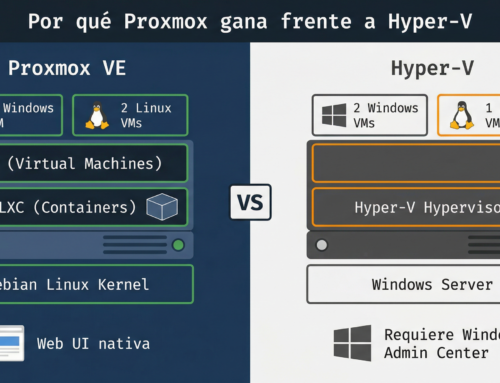
VMware uses its proprietary ESXi hypervisor. Proxmox uses KVM, which is part of the Linux kernel and offers near-native performance. Furthermore, Proxmox natively supports LXC containers, allowing lightweight workloads to run without the overhead of a full VM. VMware does not offer a built-in equivalent.
Proxmox vs VMware in real-world performance
In benchmark tests, Proxmox VE outperformed VMware ESXi in 56 out of 57 tests, with clear advantages in memory-intensive applications. Proxmox also requires 31.8% less CPU overhead and 33.3% less memory overhead compared to ESXi. This means that with the same hardware, Proxmox frees up more resources for your virtual machines.
Proxmox vs VMware in storage
Proxmox natively integrates ZFS, giving you compression, deduplication, snapshots, and data corruption protection without additional software. It also supports Ceph for clustered distributed storage. VMware uses VMFS and vSAN, but vSAN requires an additional license and more complex configuration.
Proxmox vs VMware in high availability
Both platforms offer high availability with automatic failover. The difference lies in the cost. In VMware, HA features require the more expensive editions. In Proxmox, clustering and high availability are included at no extra cost. You can create a 3-node cluster with live migration, automatic failover, and shared storage using only the free version.
Proxmox vs VMware in backup and recovery
Proxmox includes an integrated backup tool and also offers Proxmox Backup Server (PBS) as a dedicated solution with deduplication and AES-256 encryption. However, for enterprise environments that need advanced backup with granular policies, offsite replication, and fast recovery, the professional solution is Nakivo Backup & ReplicationNakivo natively supports Proxmox and allows scheduling incremental backups, restoring individual VMs or specific files, and replicating to remote sites. VMware has its own backup tools, but they require additional licenses that add to the overall cost.
Management interface
The Proxmox web interface lets you manage nodes, VMs, containers, storage, and networking from a browser. You don't need to install a heavyweight client like vCenter. The noVNC console gives you direct access to VMs without additional software. VMware vCenter is powerful, but it's a separate, licensed component and adds complexity to the infrastructure.
VMware to Proxmox Migration – How to Do It
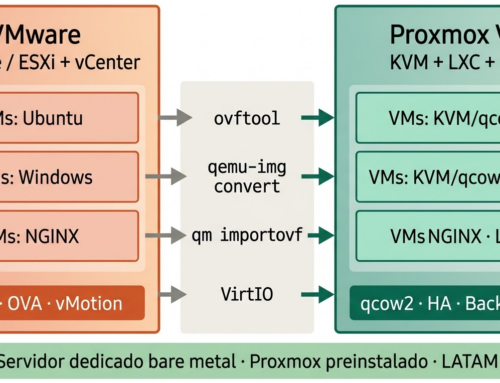
Migration isn't a leap into the unknown. Since version 8.1, Proxmox has included a native VMware import wizard that simplifies the process. You can import VMs directly from an ESXi host or from OVF/OVA files.
The general process follows these steps.
First, take inventory of your current VMs in VMware. Document the allocated resources (CPU, RAM, disk), operating systems, and network dependencies. Second, deploy your Proxmox server. If you're using a dedicated server with Proxmox pre-configured, this step is already taken care of from day one. Third, use the Proxmox VE Import Wizard to migrate the VMs. The process automatically converts disks from VMDK format to a KVM-compatible format. Fourth, verify the operation of each migrated VM. Check network, storage, and performance before shutting down the original VMware host.
For companies that need protection from day one, it is essential to have a working backup system before migration. Nakivo Backup & Replication for Proxmox It can be configured immediately after deployment, ensuring that your newly migrated VMs are protected with automatic incremental backups from the very first hour.
Proxmox vs VMware – Why LATAM migrates faster
The impact of Broadcom's changes is especially strong in Latin America for several reasons that are not discussed enough.
IT budgets in the region are tighter. A 150% increase in licensing costs isn't absorbed as easily as it would be in a North American or European company. For many Latin American SMEs, price is the deciding factor in the Proxmox vs. VMware choice, and it can be the difference between retaining or cutting technical staff.
VMware's partner ecosystem in Latin America was smaller. With Broadcom's cuts to the distribution channel, many companies were left without local support overnight. There's no one to call when something goes wrong, or the partner you had no longer has access to the same tools.
Furthermore, Proxmox eliminates vendor lock-in. As an open-source, Linux-based solution, it's easy for Latin American IT teams, who historically have a strong Linux background, to manage. You don't need expensive proprietary certifications to operate a Proxmox cluster.
In the Proxmox vs VMware comparison for the Latin American context, Proxmox wins in terms of cost, flexibility, and technological autonomy.
What you need to get started with Proxmox today
If you've already evaluated Proxmox vs VMware and decided to migrate, what you need is a dedicated server with the right hardware and Proxmox pre-installed.
The basic requirements for a production environment are a processor with hardware virtualization support (Intel VT-x or AMD-V), a minimum of 64 GB of ECC RAM to distribute among several VMs, NVMe storage in RAID for performance and redundancy, and connectivity of at least 1 Gbps.
En x5 servers we offer dedicated servers with pre-configured Proxmox VEReady to create virtual machines from the first root access. All plans include weekly backups with Nakivo For up to 4 VMs, 5 public IPv4 addresses, 1 Gbps of dedicated bandwidth with 30 TB of monthly traffic, and 24/7 technical support in Spanish. No mandatory annual contracts, with monthly payments starting at $180 USD.
If you're coming from VMware and need help planning your migration, write to us at WhatsApp and info@x5servers.comOur team will advise you without obligation.
Frequently Asked Questions about Proxmox vs VMware
Is Proxmox really free for production use?
Yes. Proxmox VE can be used in production without a license fee. Paid subscriptions are optional and provide access to the enterprise stable repository and direct support from the Proxmox team.
Can I migrate my VMs from VMware to Proxmox without losing data?
Yes. Since Proxmox VE 8.1, there's a built-in import wizard that directly converts VMware VMDK disks and VM configurations. This process preserves the data and structure of the virtual machines.
Does Proxmox support Windows as a guest operating system?
Yes. Proxmox runs any x86_64 compatible operating system, including Windows Server, Windows 10/11, all Linux distributions, FreeBSD, and others.
What happens to support if something goes wrong in Proxmox?
Proxmox has an active community with forums and extensive documentation. If you need professional support, you can purchase a subscription directly from Proxmox. Additionally, if you host your server through X5 Servers, you'll receive 24/7 technical support in Spanish.
In Proxmox vs VMware, can Proxmox replace a cluster with HA?
Yes. Proxmox supports native clustering with high availability, live migration, fencing, and automatic failover. These features are included at no extra cost, unlike VMware where they require the more expensive editions.
How long does it take to migrate from VMware to Proxmox?
It depends on the size of the environment. For a single server with 5-10 VMs, the technical migration can be completed in one day. For larger environments, a phased migration over 2 to 4 weeks is recommended, moving the less critical workloads first.
Does Proxmox work with Nakivo for enterprise backup?
Yes. Nakivo Backup & Replication It natively supports Proxmox VE, enabling incremental backup, granular restore, and replication to remote sites. On X5 Servers, backup with Nakivo is included in all Proxmox server plans.
Is it safe to use Proxmox in a business environment?
Yes. Proxmox is based on Debian Linux and the KVM hypervisor, both audited and used by organizations of all sizes worldwide. It supports a built-in firewall, VLANs, two-factor authentication, and storage encryption with ZFS.
Will VMware stop working if I don't renew my license?
Existing perpetual licenses continue to function, but without updates or support. For new purchases or renewals, Broadcom only offers a subscription model. If your perpetual license expires during maintenance, you will not be able to renew it under the previous terms.
How much does a dedicated Proxmox server cost versus a VMware server?
At X5 Servers, dedicated servers with pre-configured Proxmox start at $180 USD per month. They include 5 public IPs, Nakivo backup, 1 Gbps dedicated bandwidth, and 24/7 support in Spanish. There are no mandatory annual contracts. An equivalent with VMware would cost significantly more in licensing alone.